loader

Activity No. 10: Create a drawer alarm (Starter kit Vittascience)

Combine the light sensor and the buzzer with the NUCLEO-L476 board
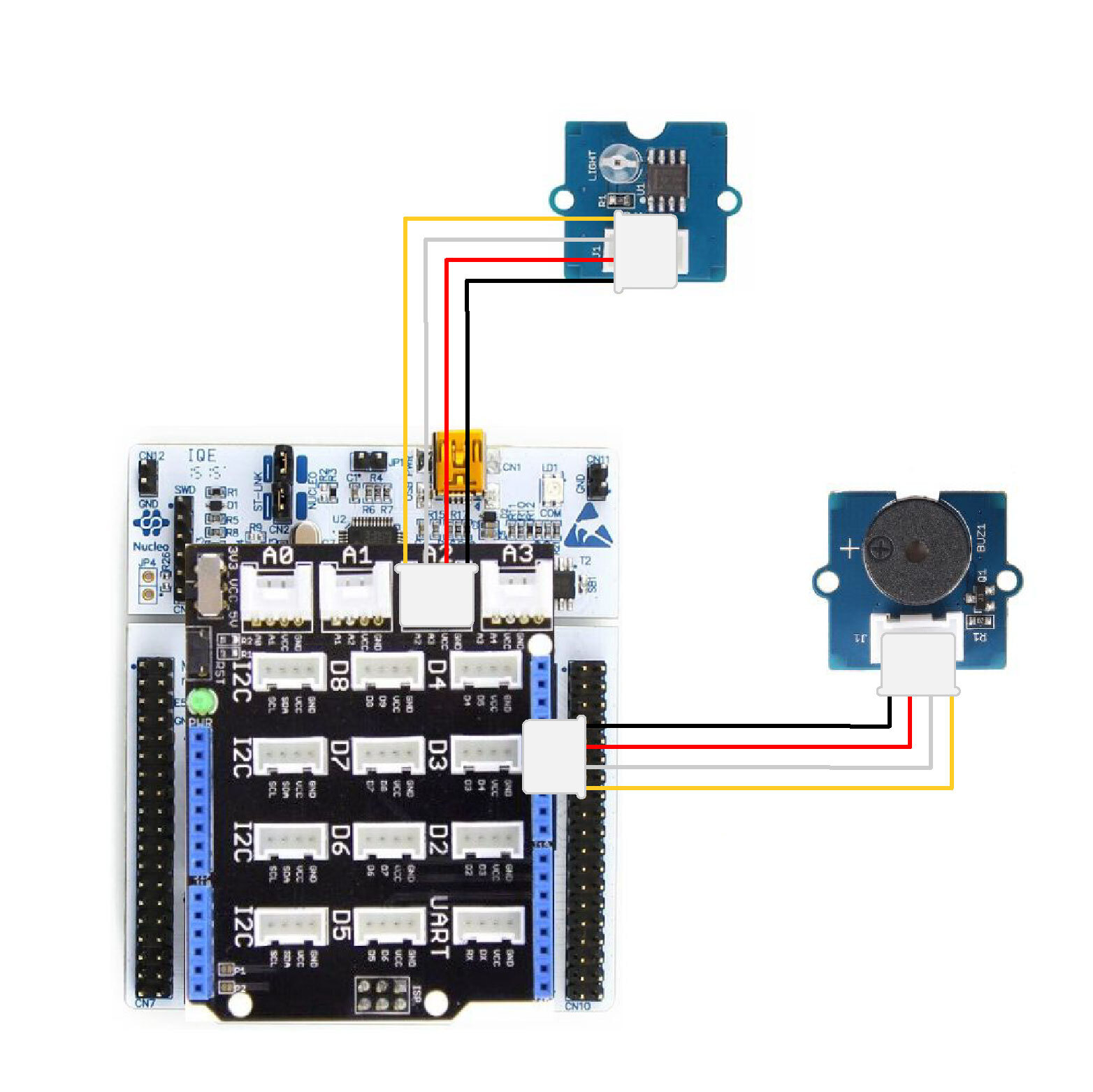
To achieve this drawer alarm, two modules must be used: the light sensor light to detect if the drawer is open and the buzzer module which will serve as an alert to scare away the thief. 

Here is the connection to be made:
- Connect the Shield Grove to the card connectors. 
- Connect, using the Grove cable, the light module to one of the analog ports. We will choose port A2.
- Connect the buzzer using the Grove cable to port D3.

Drawer_alarm-EN

Let's get to the programming now! 

The program that we are going to create will make it possible to trigger the buzzer according to a brightness threshold.

Here are the 3 blocks to use: 
- "If .... then", available in the Logic of the block locker to define the condition.
- "[Light sensor] brightness on pin A2", available in the Sensors, to retrieve the value of the module.
- "[Buzzer/Speaker] play frequency...during...on D3", available in the Actuators of the blocks locker.

- if brightness is greater than or equal to 15 then 
- play frequency 440 for 500ms
- otherwise 
- stop the music
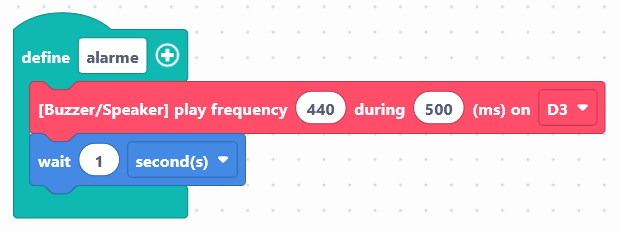
Use the following interface to create the temperature alarm program:


It is possible to customize the alarm signal. To do this, you can use a function (block: define "function name") by modifying the frequency of the buzzer as well as the duration of the pause. 
alarm-en


Launch the simulator to check that your program is running correctly or download it to the card. 

You succeeded ? Perfect, you now know how to program a drawer alarm using your NUCLEO-L476RG card! 
Discover the other activities of the Starter kit by clicking on the icons below.

Licencia de uso

Licence Creative Commons

Este recurso está disponible bajo los términos de la licencia Creative Commons Attribution-Share Alike 2.0 France License.